
Indian weddings are getting bigger, smarter, and more digital. And in 2026, if you’re not collecting RSVPs on WhatsApp, you’re already behind. From 500+ guest lists to multi-event schedules, WhatsApp is now the fastest and most reliable way to manage your wedding confirmations. In this guide, you’ll learn how to collect RSVPs seamlessly using WappMaster Wedding Edition, India’s #1 WhatsApp invitation and RSVP automation tool for weddings.
Why WhatsApp is the Best Way to Collect RSVPs in 2026
WhatsApp has quickly become the default tool for Indian digital weddings because:
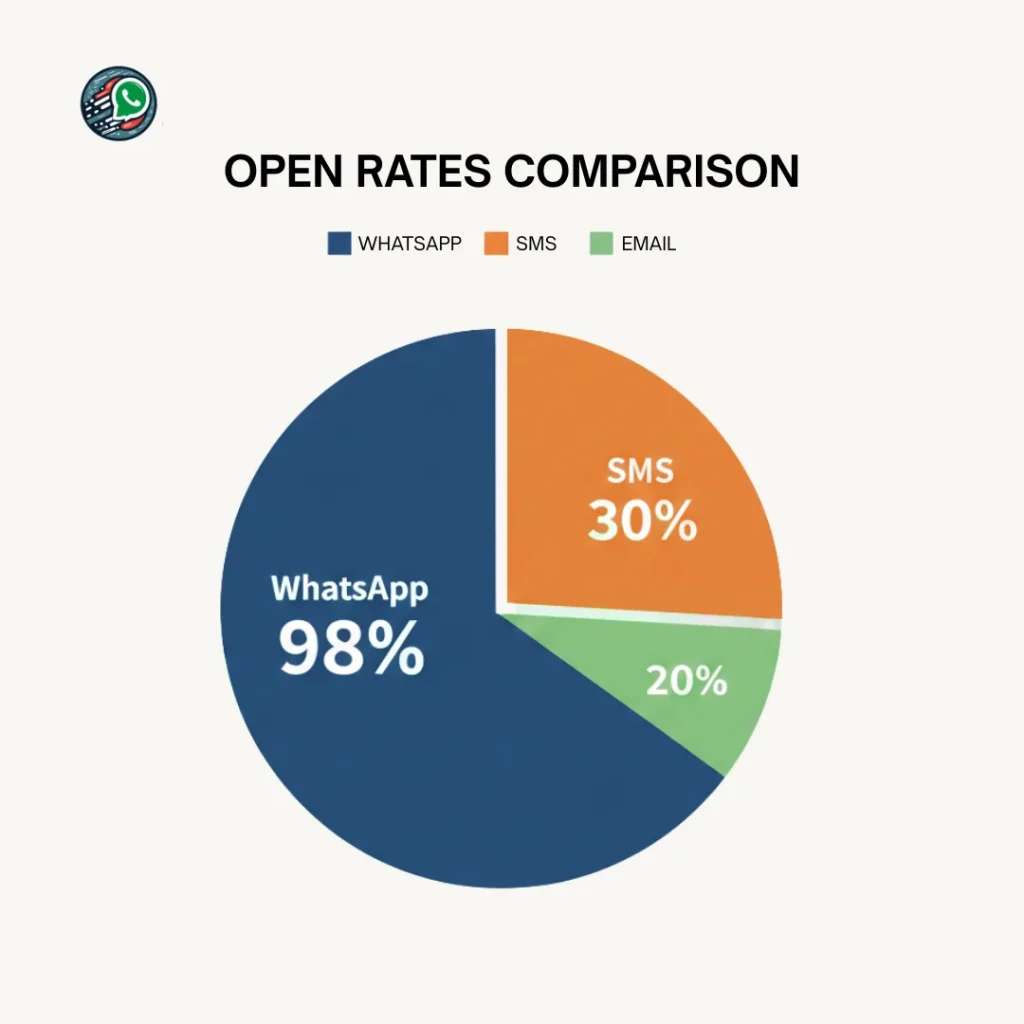
- 98% message open rate
- Guests respond instantly, no app download needed
- Works for every age group
- Perfect for managing multiple functions (Haldi, Mehndi, Sangeet, Wedding, Reception)
Easy for couples to track confirmations in real time
Read: How to Send Bulk WhatsApp Invitations Without Getting Blocked
Meet WappMaster Wedding Edition, Made for Indian Wedding RSVPs
WappMaster Wedding Edition simplifies the entire RSVP process with features built especially for Indian families:
- Pair up to 5 mobile devices
- Send messages from a specific number
- Manage a digital guestbook
- Add guests manually
- Assign guests to specific lists (Friends, Family, Office…)
- Import guests from WhatsApp groups
- Upload a CSV guest list
- Start invitations instantly
- Create unlimited invitation templates
- Enable RSVP buttons for every event
How to Collect RSVPs on WhatsApp Using WAppMaster (Step-by-Step)
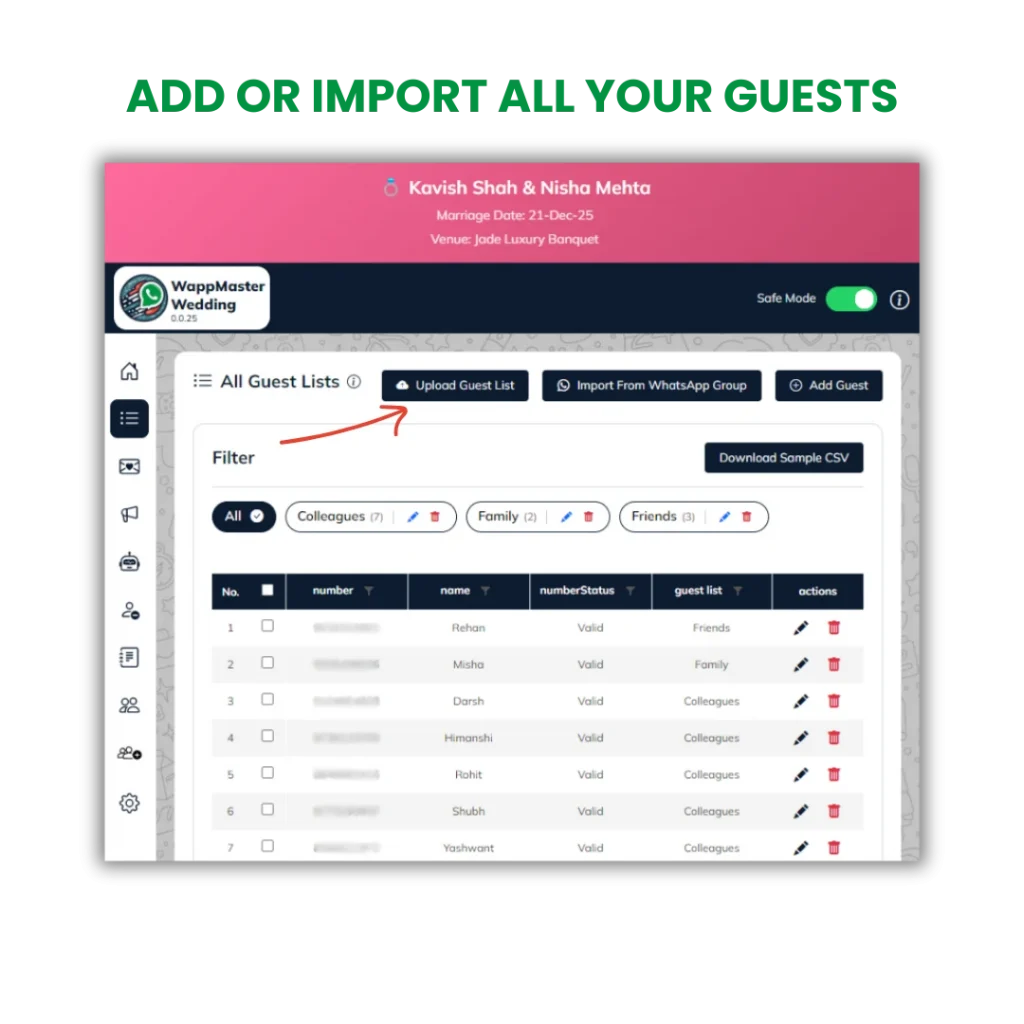
Step 1: Add or Import All Your Guests
You can add guests individually or upload everyone in bulk.
- Add new guests manually
- Assign each guest to a list (Family / Friends / Office)
- Import members directly from any WhatsApp group
- Upload thousands of guests instantly using CSV
- Auto-align guests to their respective categories
Step 2: Use the 5 Ready-Made Wedding Invitations (Pre-Loaded)
These 5 templates are already created inside WappMaster Wedding Edition so couples can start inviting instantly.
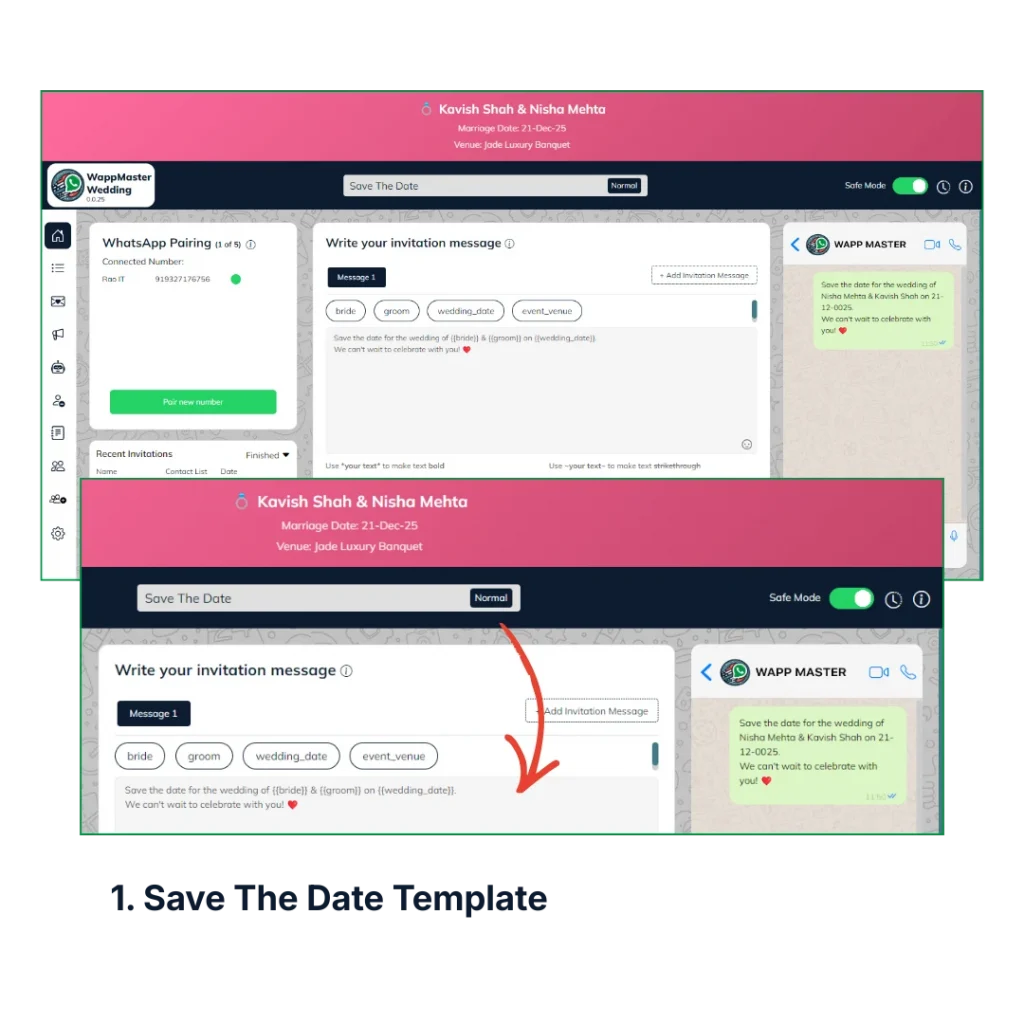
1. Save The Date
Template:
“Save the date for the wedding of {{bride}} & {{groom}} on {{wedding_date}}. We can’t wait to celebrate with you! ❤️
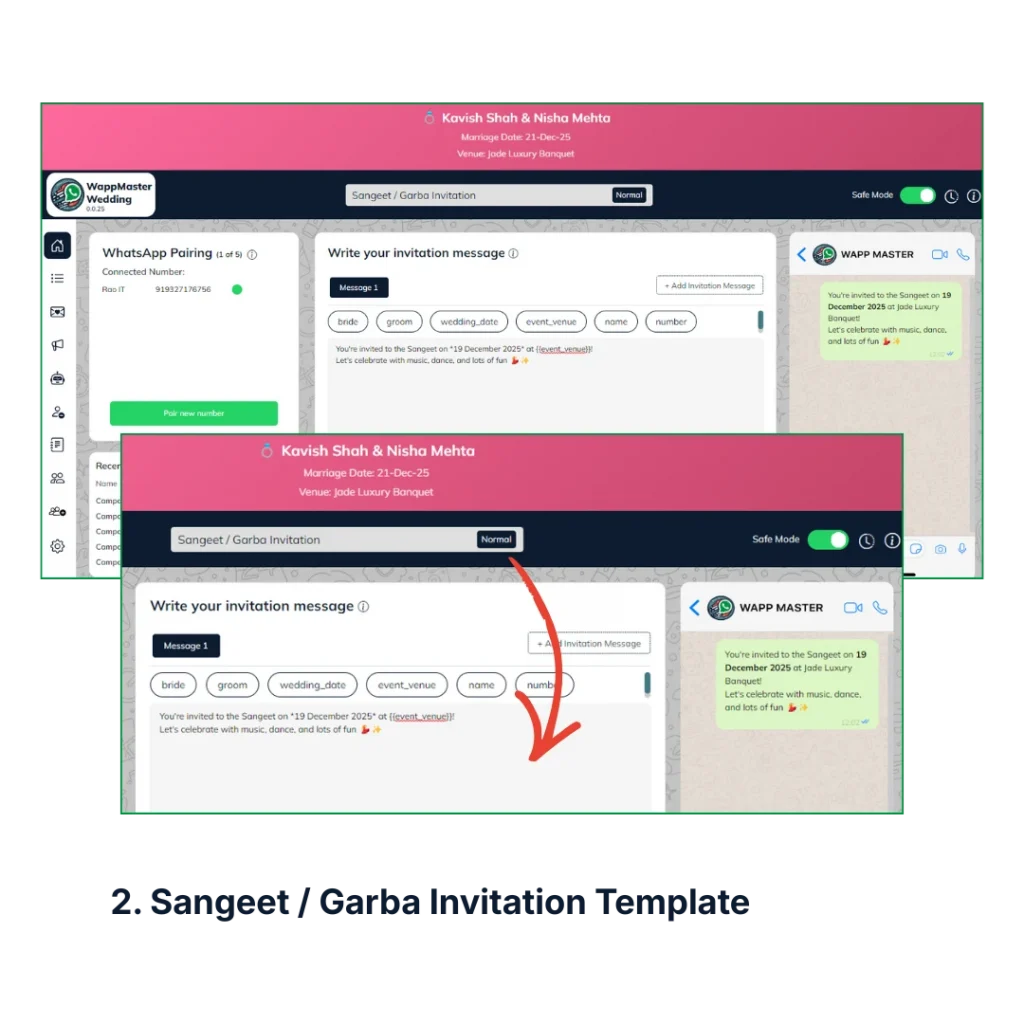
2. Sangeet / Garba Invitation
Template:
“Join us for the {{event_name}} on {{event_date}} at {{event_venue}}! Let’s celebrate with music, dance, and lots of fun 💃✨”
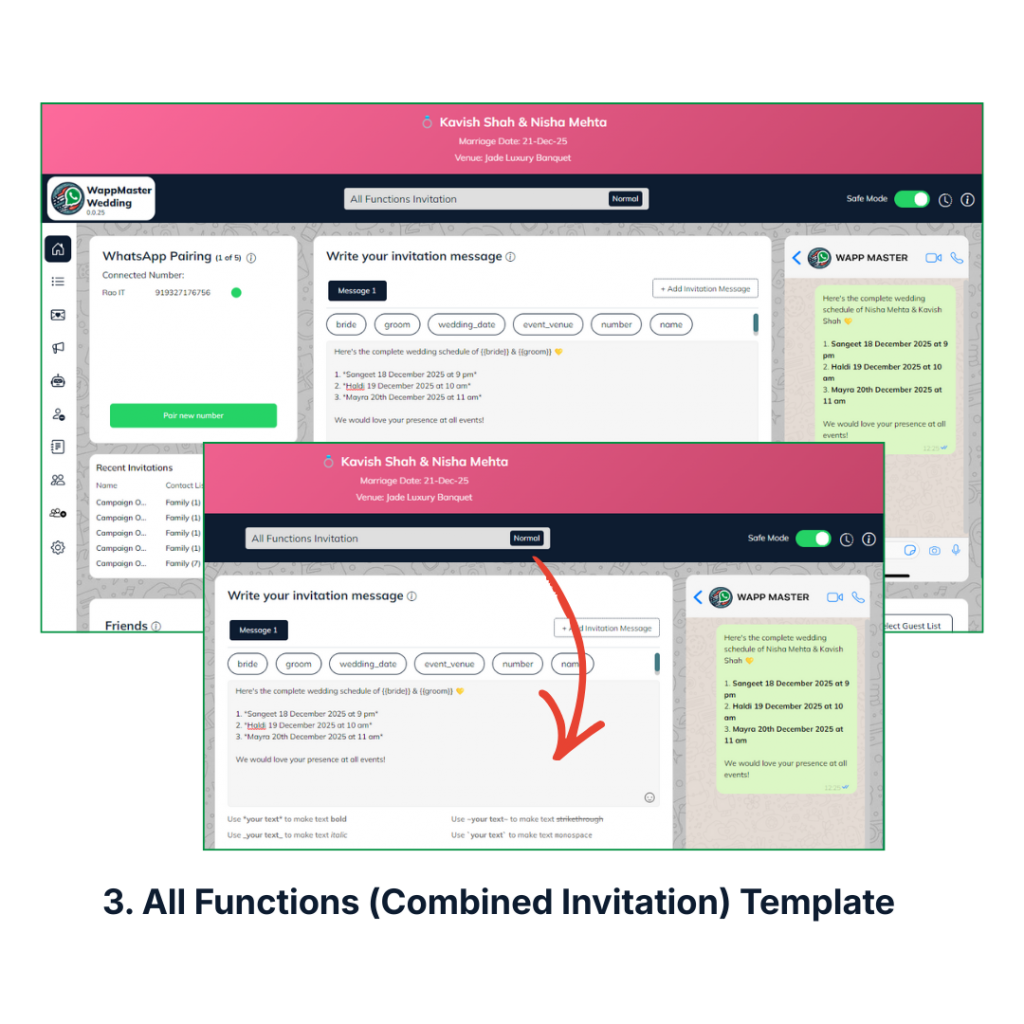
3. All Functions (Combined Invitation)
Template:
Perfect for elders and busy guests. “Here’s the complete wedding schedule of {{bride}} & {{groom}} 💛 {{function_list}}”
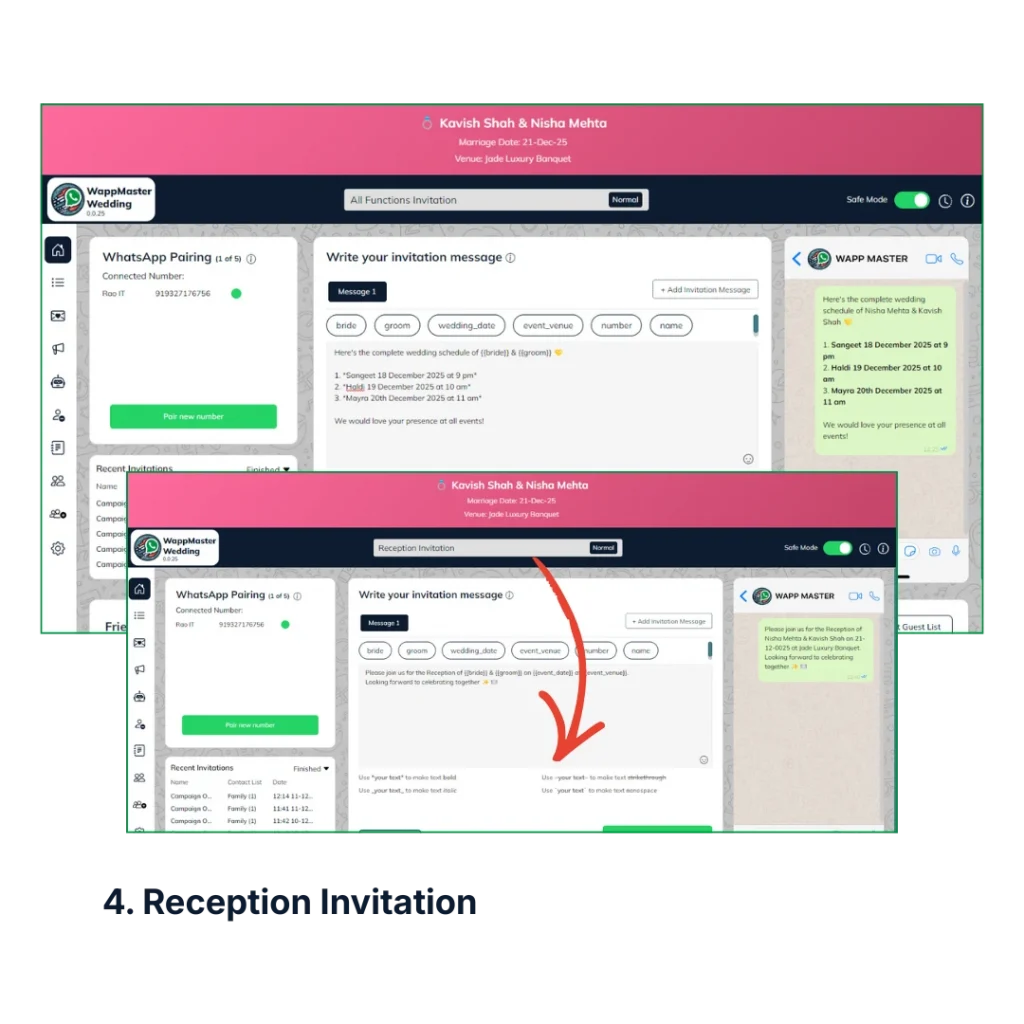
4. Reception Invitation
Template:
“Please join us for the Reception of {{bride}} & {{groom}} on {{event_date}} at {{event_venue}}.Looking forward to celebrating together ✨🍽️”
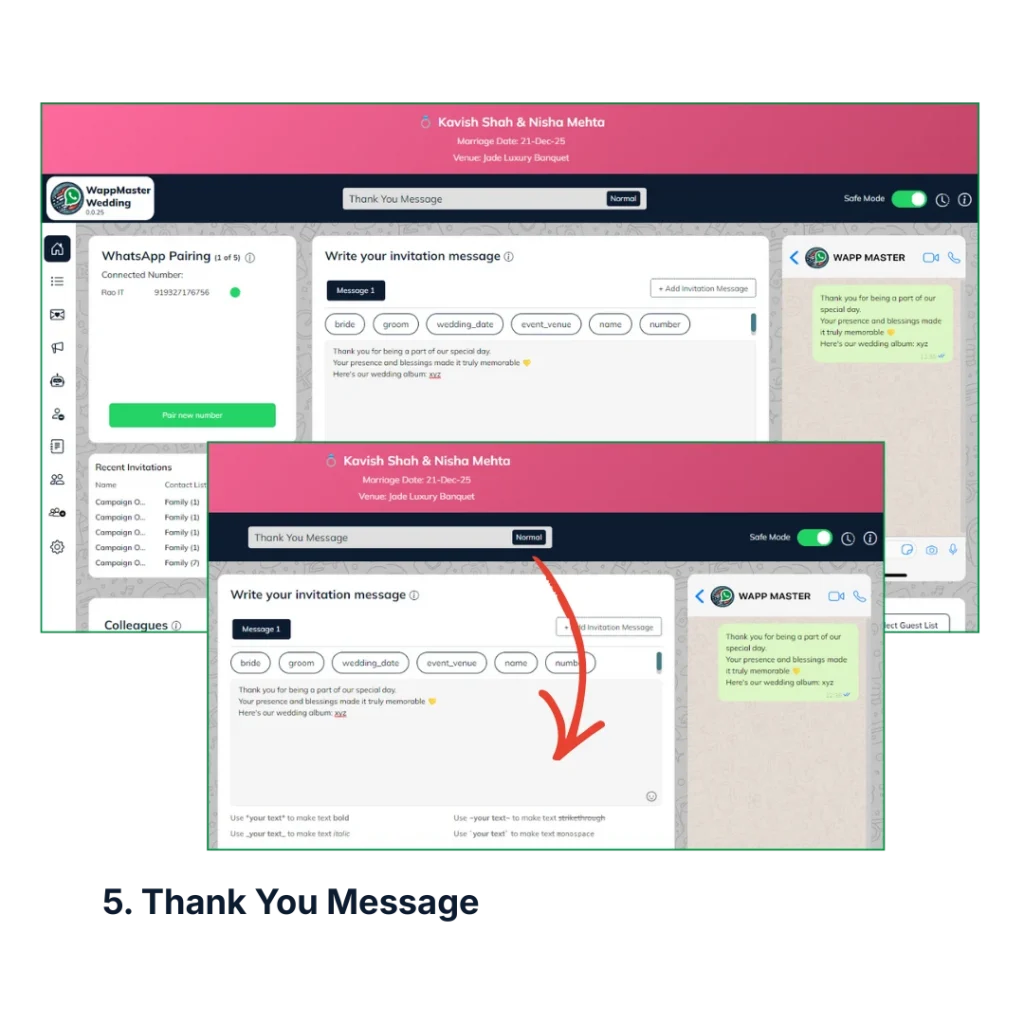
5. Thank You Message
Template:
“Thank you for being a part of our special day. Your presence and blessings made it truly memorable 💛
Here’s our wedding album: {{album_link}} (optional)”
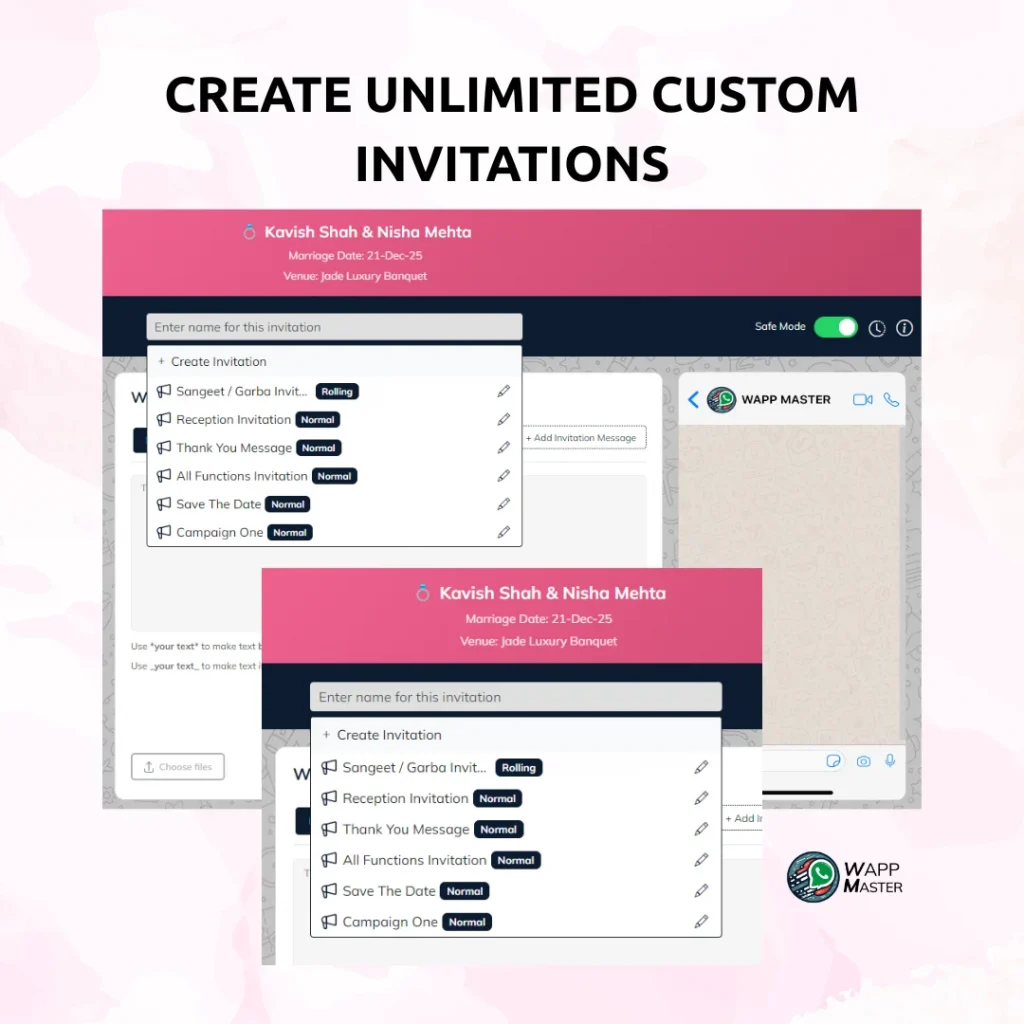
Step 3: Create Unlimited Custom Invitations
- Haldi Night
- Cocktail Party
- Pool Party
- Roka / Engagement
- Sufi Night
- After Party
You can create unlimited invitation templates with:
- Emojis + GIF support
- Names
- Date
- Venue
- Map link
- Personalized notes
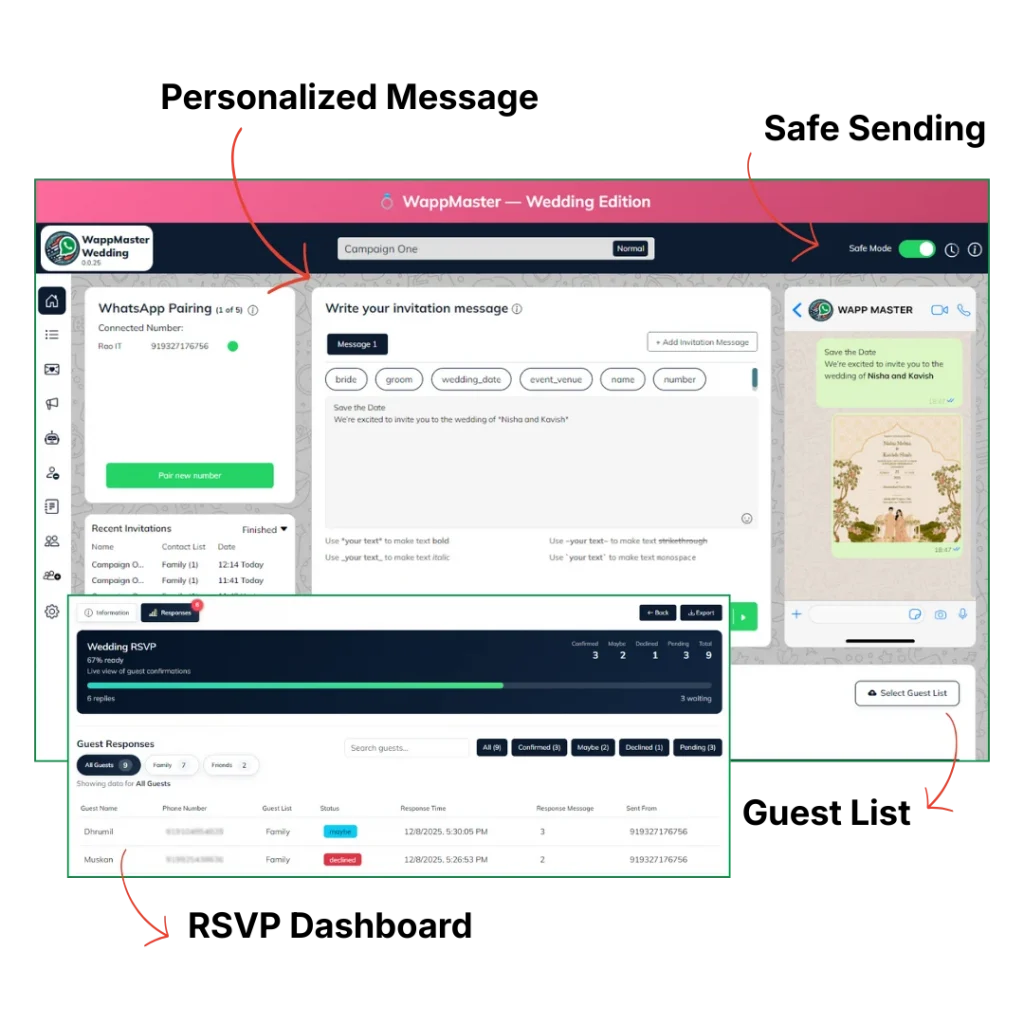
Step 4: Send Personalized Messages to Specific Lists
Examples:
- Family List: All functions
- Office List: Only Reception
- Friends List: Sangeet + After Party
- Elders: Combined schedule message
Personalization options:
- {{name}} auto-fills
- {{event_name}}
- {{venue_link}}
- Smart delays ensure messages send safely without WhatsApp bans
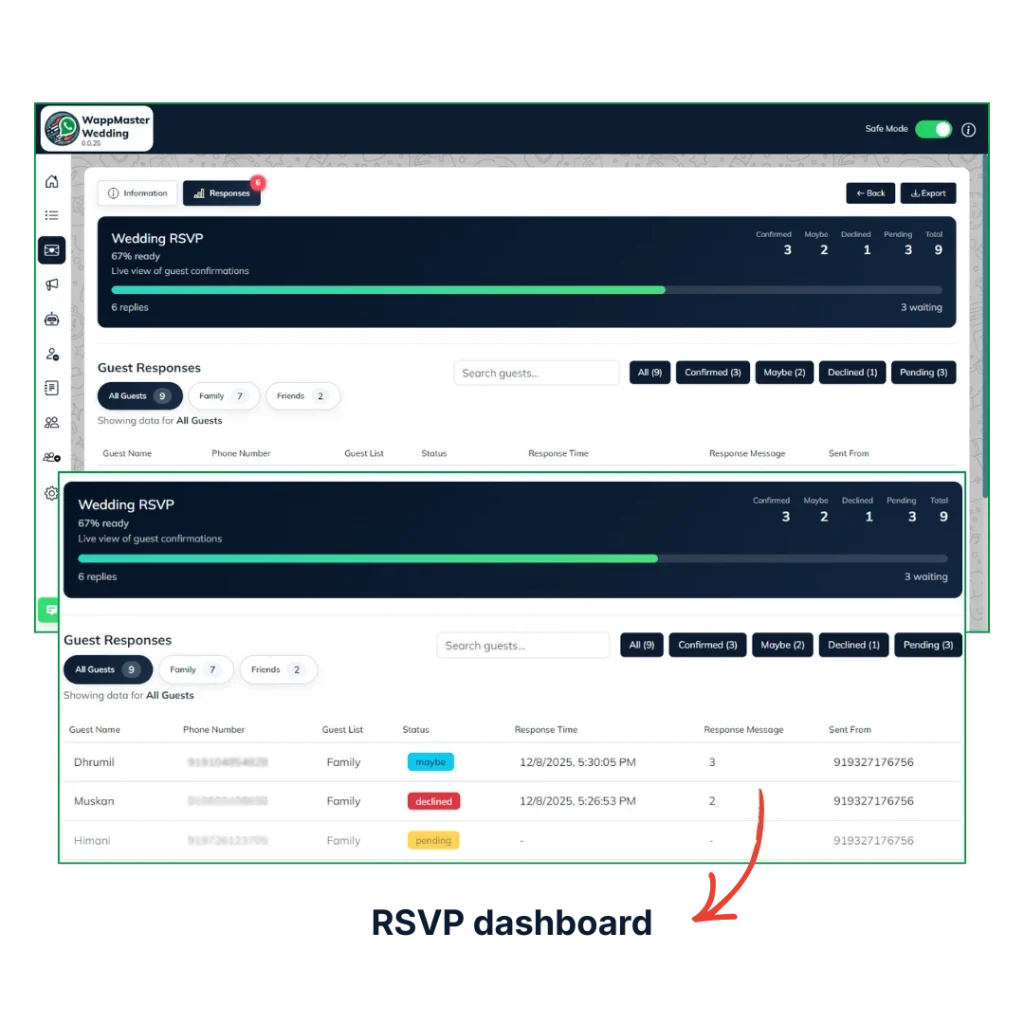
Step 5: Enable RSVPs and Track Confirmations Live
With RSVP enabled, your guests simply tap Yes / No / Maybe.
You get:
- Live RSVP dashboard
- Event-wise confirmations
- Attendance filters
- Export feature for caterers, venue managers & logistics team
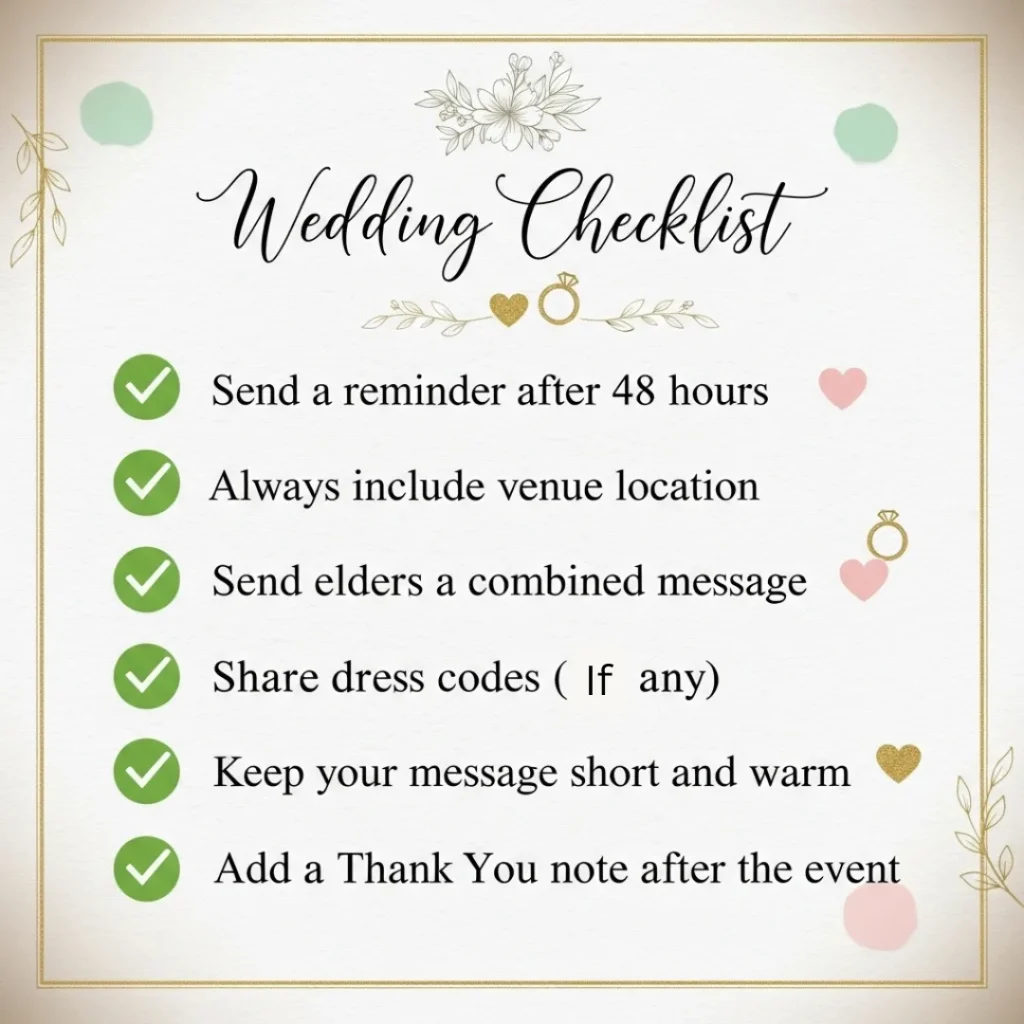
Pro Tips to Get Maximum RSVP Responses
Start Collecting Wedding RSVPs on WhatsApp Without Stress
Planning an Indian wedding is already overwhelming. Managing guest confirmations shouldn’t be.
👉 Start your wedding invitations today with WappMaster Wedding Edition
Make your wedding organized, modern, and memorable, all on WhatsApp. 💛